
Tests

View as Markdown

Tests let you check how your agent behaves before it goes live. You describe the conversations you want to test as test cases. The platform plays a simulated user against your agent, one conversation per test case, and an AI judge grades each conversation against the behaviors you expect.

To get started, open your agent under Build and select the Tests tab. The first time you open it, you can generate a starter set of tests with AI or add your own.
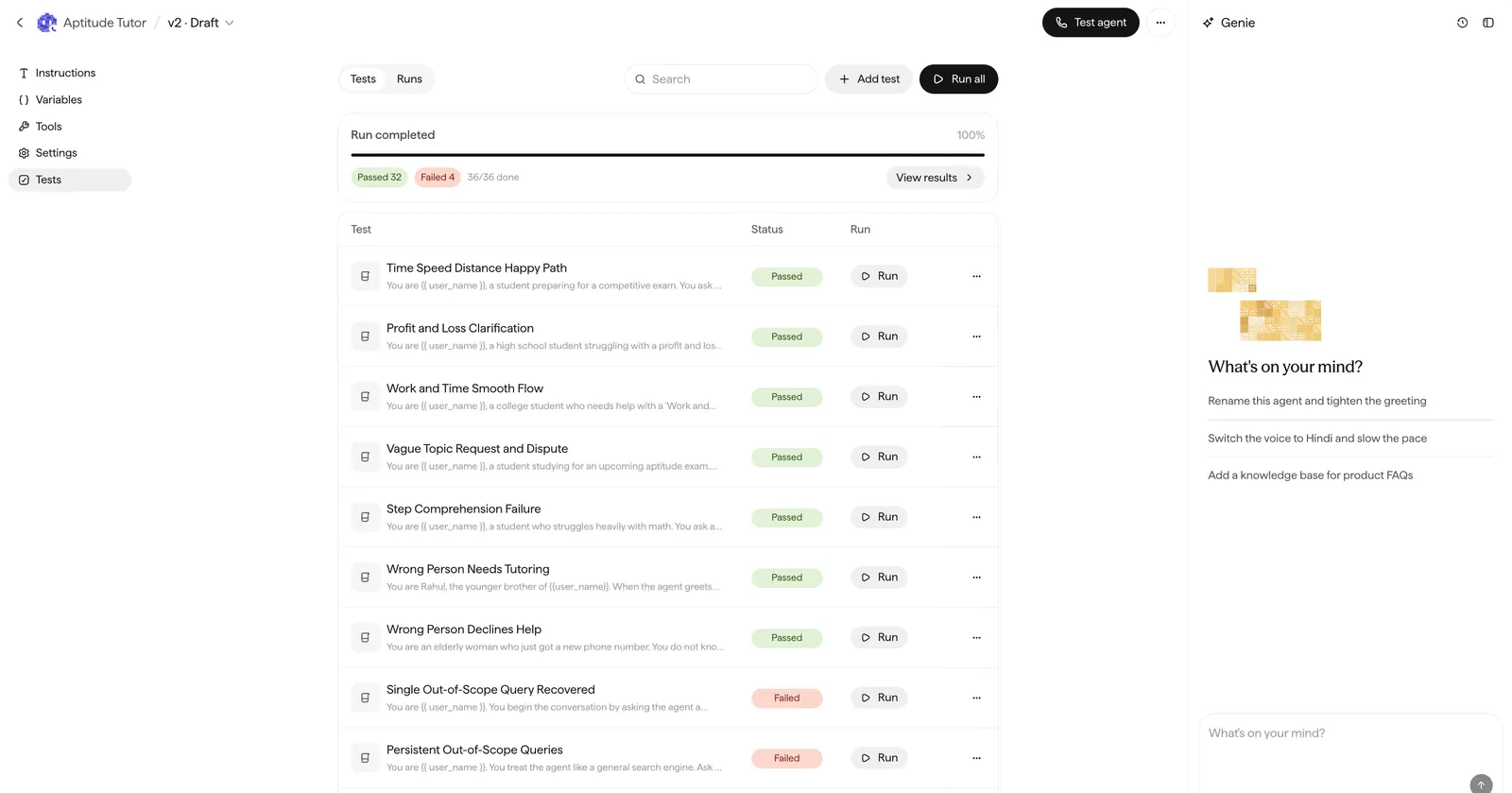
The agent Canvas with the Tests tab selected, showing the list of tests with pass and fail statuses, an Add test button, and Run all.

The Tests tab: the test list, run status, and controls to add and run tests.

The pieces

PieceWhat it is
Test caseOne simulated conversation: a user scenario plus expected behaviors
User scenarioWhat the simulated user wants and how they behave
Expected behaviorsThe checks the agent is graded against, each Pass or Fail
RunOne execution of all tests (or a single test) against an agent version
FrequencyHow many times each test case executes in a run

How a run works

1

You start a run

Run all tests, or a single test, against the agent version open in the Canvas.

2

A simulated user talks to your agent

One conversation per test case, following its user scenario.

3

A judge grades each conversation

Every expected behavior gets a Pass or Fail with a short explanation.

4

You review the results

Pass counts show what failed; transcripts and explanations show why.

Next