

Manage Phone Numbers
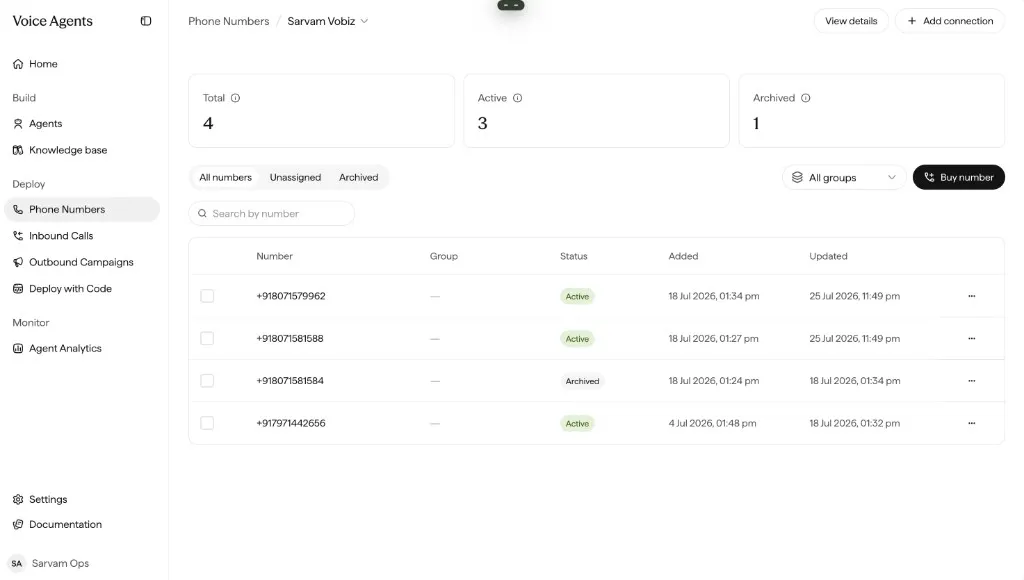
Deploy → Phone Numbers is the single place to see and manage every phone number across all your connections. This page covers how numbers get here, what you see, and what you can do with them.
Add numbers
How a number gets into Sarvam depends on your connection type.
Importing pulls numbers from your provider into Sarvam. You pick which ones to bring — not necessarily all of them:
See your numbers
Each connection lists the numbers under it, with these columns:
Manage a number
Archive, then delete
Archive a number to take it out of active use. Once it’s archived, you can delete it.
Add it to a group
Bundle numbers together to assign and rotate them as a set. See Groups.
Release or delete
How you remove a number depends on where it came from:
- Rent from Sarvam → Release. You stop being charged for the number.
- Bring Your Own → Delete. The number is removed from Sarvam only; you keep it in your provider account.
Before you archive, release, or delete a number, make sure no active inbound deployment or campaign is using it. Removing a number that’s in use causes dial failures.
Put numbers to work
Once a number is active, route it based on the direction of the call:
One number routes to one inbound deployment at a time. For outbound, the same number can be part of multiple campaigns (subject to concurrency limits).