

Engagement
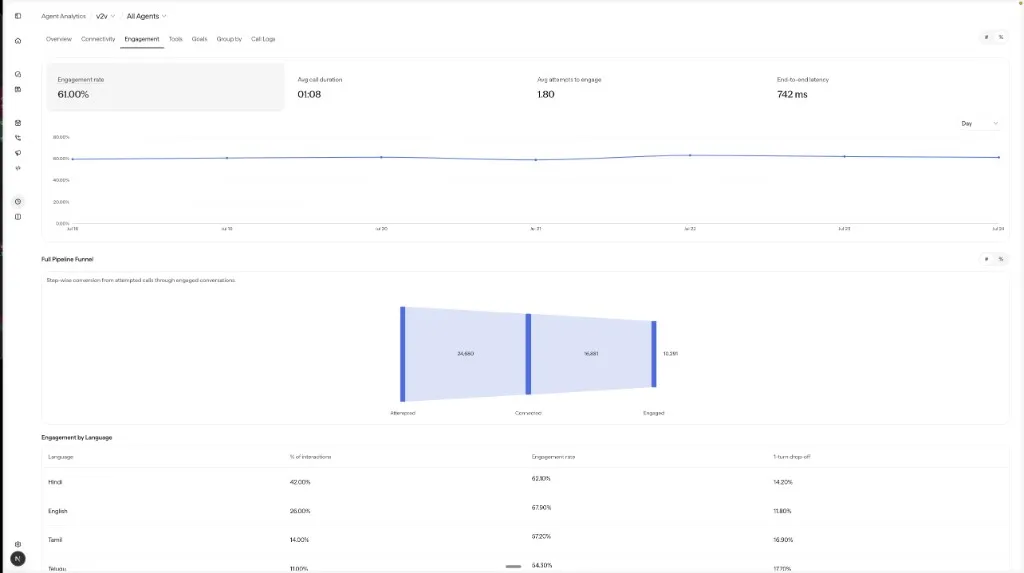
Engagement is a tab under Monitor → Agent Analytics. Of the calls that connected, it measures how many became real conversations. Use it when connect rates look healthy but callers leave shortly after the greeting. For reachability problems that occur before a connect, use Connectivity.
A conversation is counted as Engaged when it has more than 3 turns. This filters out hang-ups, IVR-only calls, and one-line refusals.
When to use Engagement
Engagement is most useful when:
- The connect rate is healthy but conversations still feel shallow.
- One language connects well but drops after a single turn.
- Latency between turns feels high.
- The funnel looks fine through Connected, then collapses at Engaged.
KPI tiles
Each tile summarizes the selected period. Use the # / % toggle to switch rate tiles between count and percentage.
Charts and insights
The duration distribution buckets calls in roughly 10-second increments up to 5 minutes, then groups longer calls as >5 min.
How to investigate
Read the funnel first
A drop at Attempted → Connected is a reachability problem; investigate it in Connectivity. A drop at Connected → Engaged is a conversation problem, so stay on this tab.
Compare languages
A high connect rate with low engagement in one language often indicates voice, prompt, or ASR issues for that language.
Check turn and duration shape
The turn and duration distributions separate early hang-ups from deeper conversations before you open any logs.
Open short connected calls
Sample them in Call Logs, then use Log Analyser to examine the greeting turn.