

Split a document bundle
Split finds where each document starts and ends inside one big file, then labels each part by type. A typical example is a loan application scanned as one PDF that holds a bank statement, a PAN card, and a GST registration certificate.
Step 1: Add your file
Click Split under Products in the sidebar. Drag and drop your files, click Upload documents, or pick the Loan bundle.pdf demo document.
Accepted formats: PDF, JPEG, PNG, TIFF, ZIP. Each run takes up to 10 files or 50 pages in total. For larger bundles, use the Split API.
Step 2: Define document types
Under Define document types, add one row for each kind of document you expect in the bundle, with a Document type name and a Description. The setup works the same way as Classify: + Add type, drag to reorder, Form or JSON, and Load saved list.
Identifier keys
Sometimes a bundle holds two documents of the same type back to back, such as two bank statements from different accounts. To keep them apart, open the ⋯ menu on that type’s row and click Add identifier key. Name the value that tells two documents of that type apart, for example the account number.
Step 3: Run and review
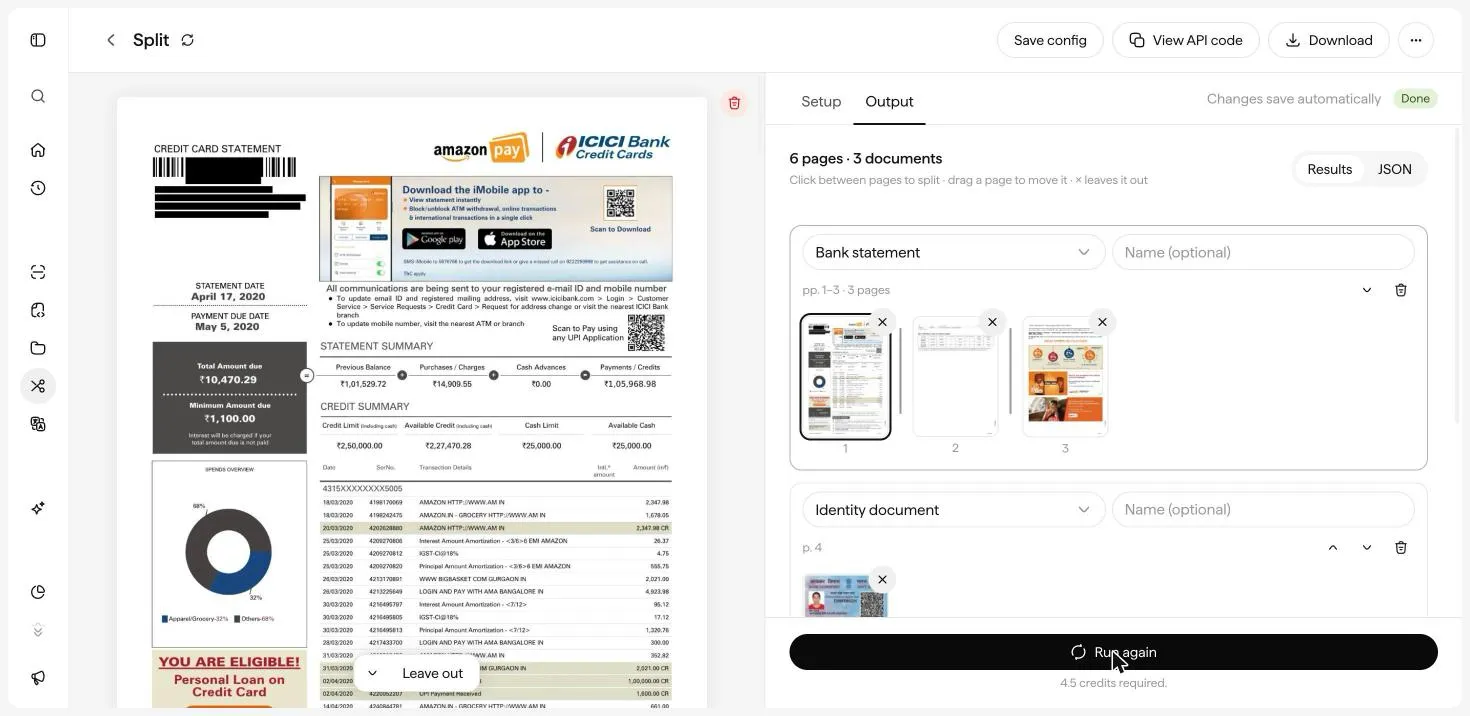
Click Run split. The credits needed are shown under the button. When the run is Done, the Output tab shows how many pages and documents it found (for example 6 pages · 3 documents). Each document appears as a group with its type, page range, and page thumbnails.
Fix the boundaries
The result is fully editable, and changes save automatically:
- Split a document. Click between two pages to start a new document there.
- Move a page. Drag a page thumbnail into another document.
- Leave a page out. Click × on a thumbnail to drop that page, for example a blank separator sheet.
- Relabel. Change a document’s type from its dropdown, and add an optional Name.
- Reorder or delete. Use the arrows to move a group up or down, and the trash icon to remove it.
Switch to JSON to see the raw output.
Step 4: Download or reuse
- Download saves the results.
- Save config saves your document types for reuse. See Save and reuse Configs.
- View API code gives you cURL, Python, or JavaScript for the Split API.
Split pairs well with Extract. Split a bundle first, then run each part through the matching Extract template, such as Bank statement, PAN card, or GST return.
Next: Translate a document.