

Get your config_id
Get your config_id
A config_id identifies a saved extraction Config on the Sarvam platform. Pass it in place of an inline schema to reuse the same extraction fields across multiple API calls without re-sending the full JSON schema each time.
Start with an Extract project
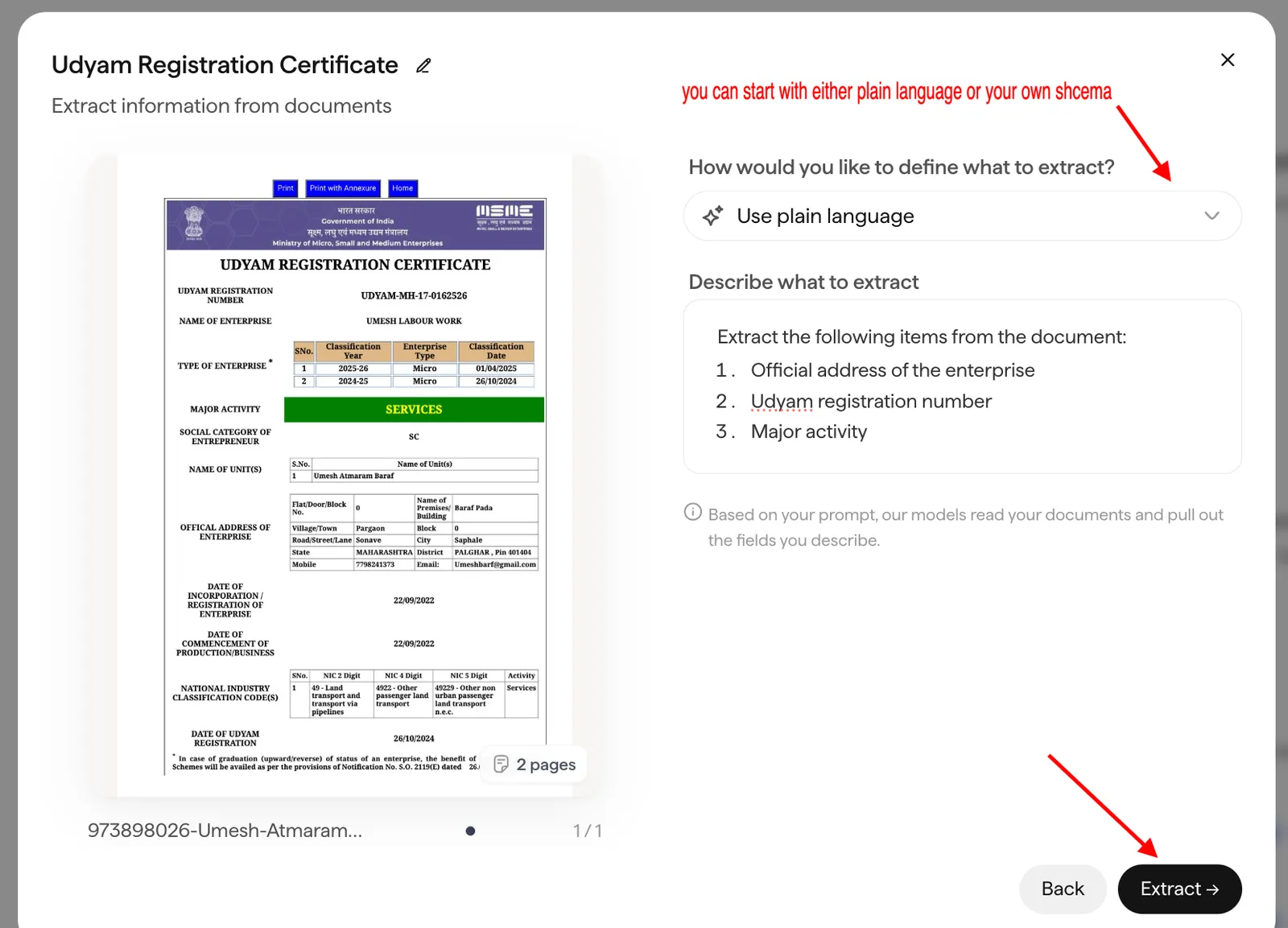
The easiest way to create a Config is to start from an Extract project in the Doc Agents dashboard at indus.sarvam.ai. Upload a document, describe what you want to extract, and run the project.
Refine the schema in the Config tab
Once the project finishes processing, open it and switch to the Config tab. Here you can play around with the schema. Add or remove fields, change types, adjust descriptions, until the extracted output matches what you need.
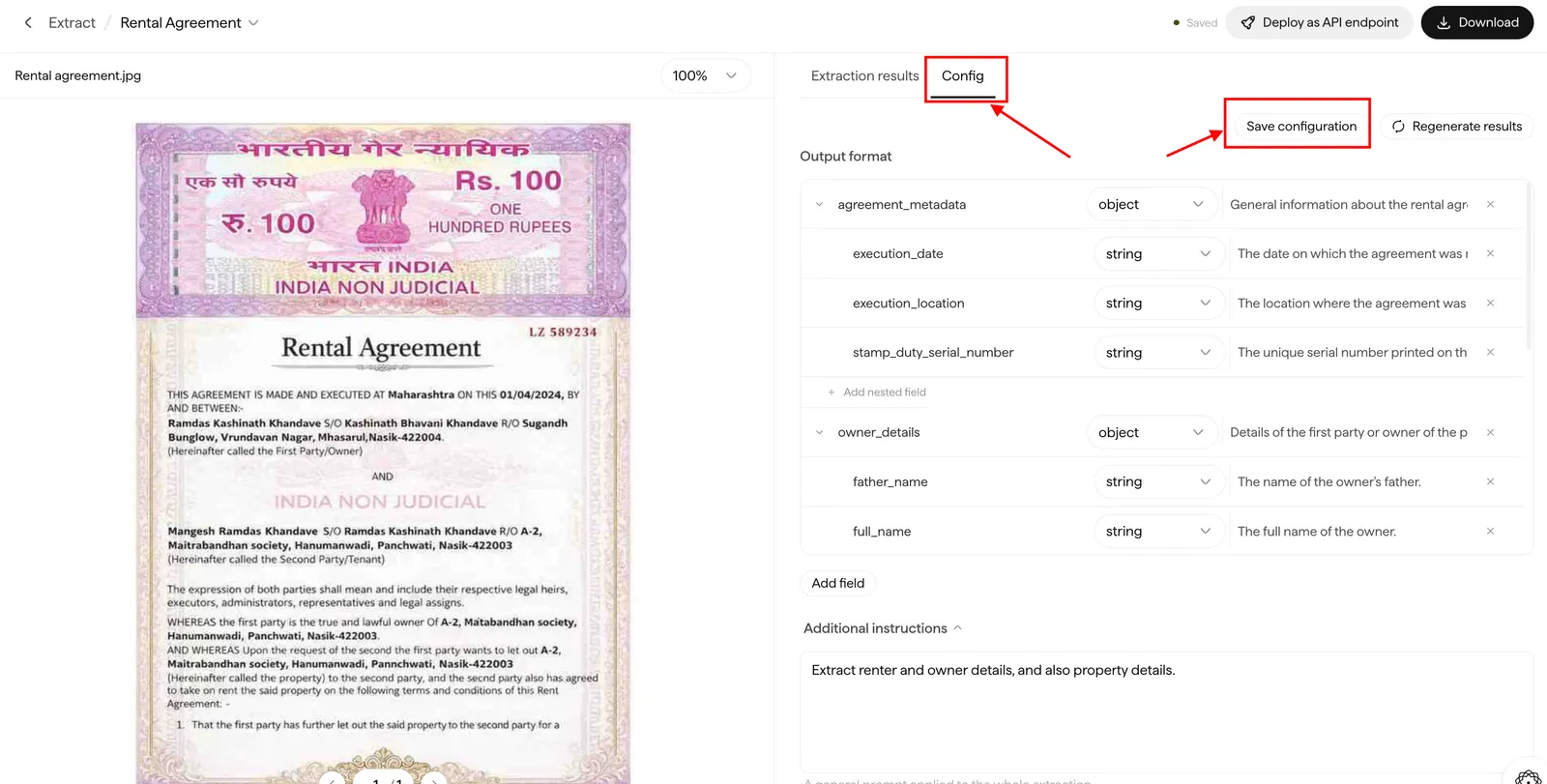
When you’re satisfied with the schema, click Save to save the configuration.
Get your config_id
Once saved, you have two ways to get your config_id:
Copy the config_id
Deploy as API endpoint
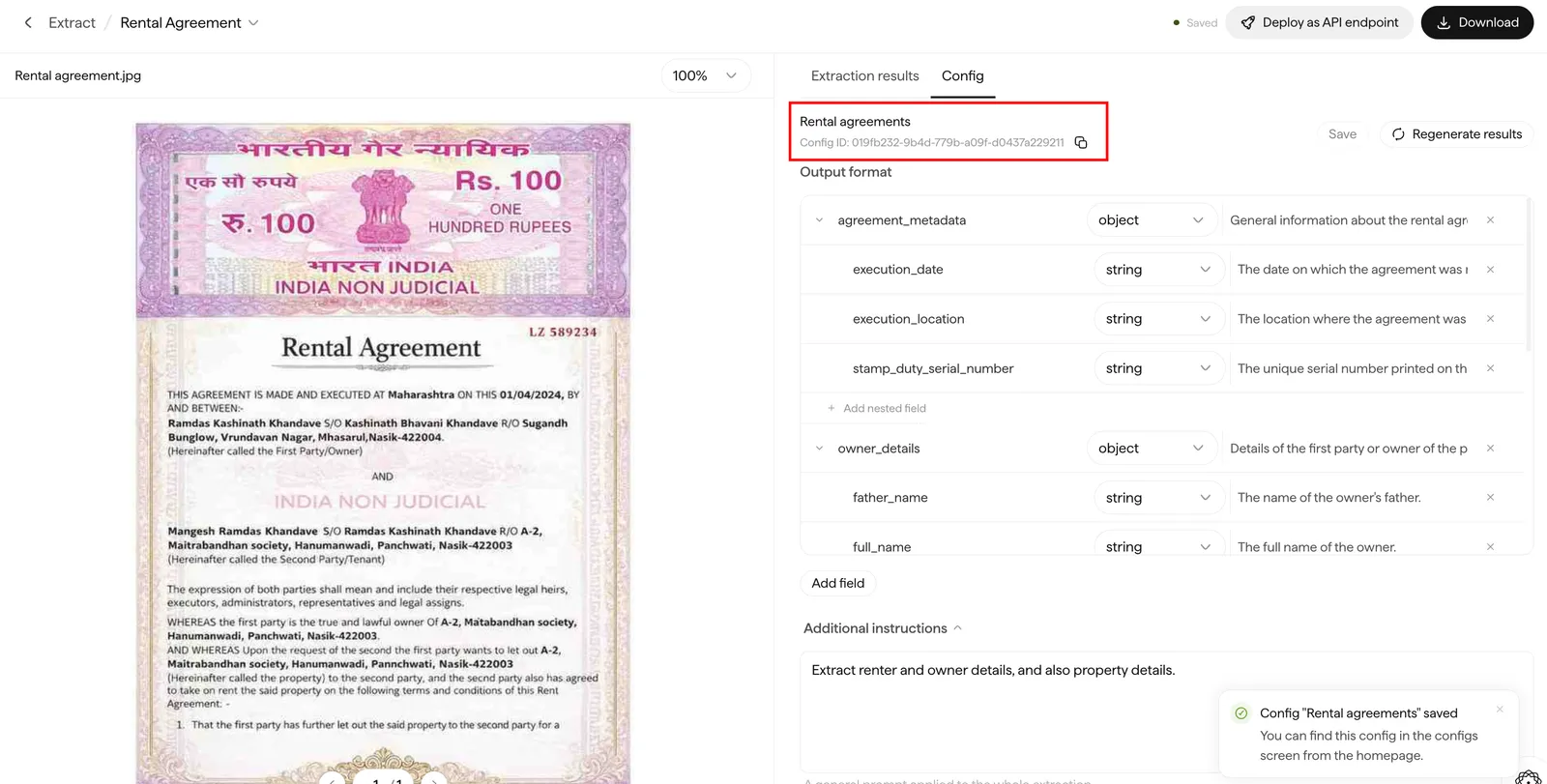
After saving, the config_id (a UUID like 019ff577-91b7-7dde-b128-c5f418d06881) is displayed on the Config. Copy it for use in your API call.
Use it in an Extract call
Pass the config_id where you would otherwise pass an inline schema:
Provide exactly one of schema or config_id. Sending both, or neither, returns a 400.